The Hidden Cost of Manual Admin Work in Local Businesses
If you or your team spend minutes each day on repetitive admin — replying to the same messages, updating spreadsheets, or sending invoices — those minutes quickly become lost hours. This post shows practical fixes to reclaim time, reduce mistakes, and make growth easier.
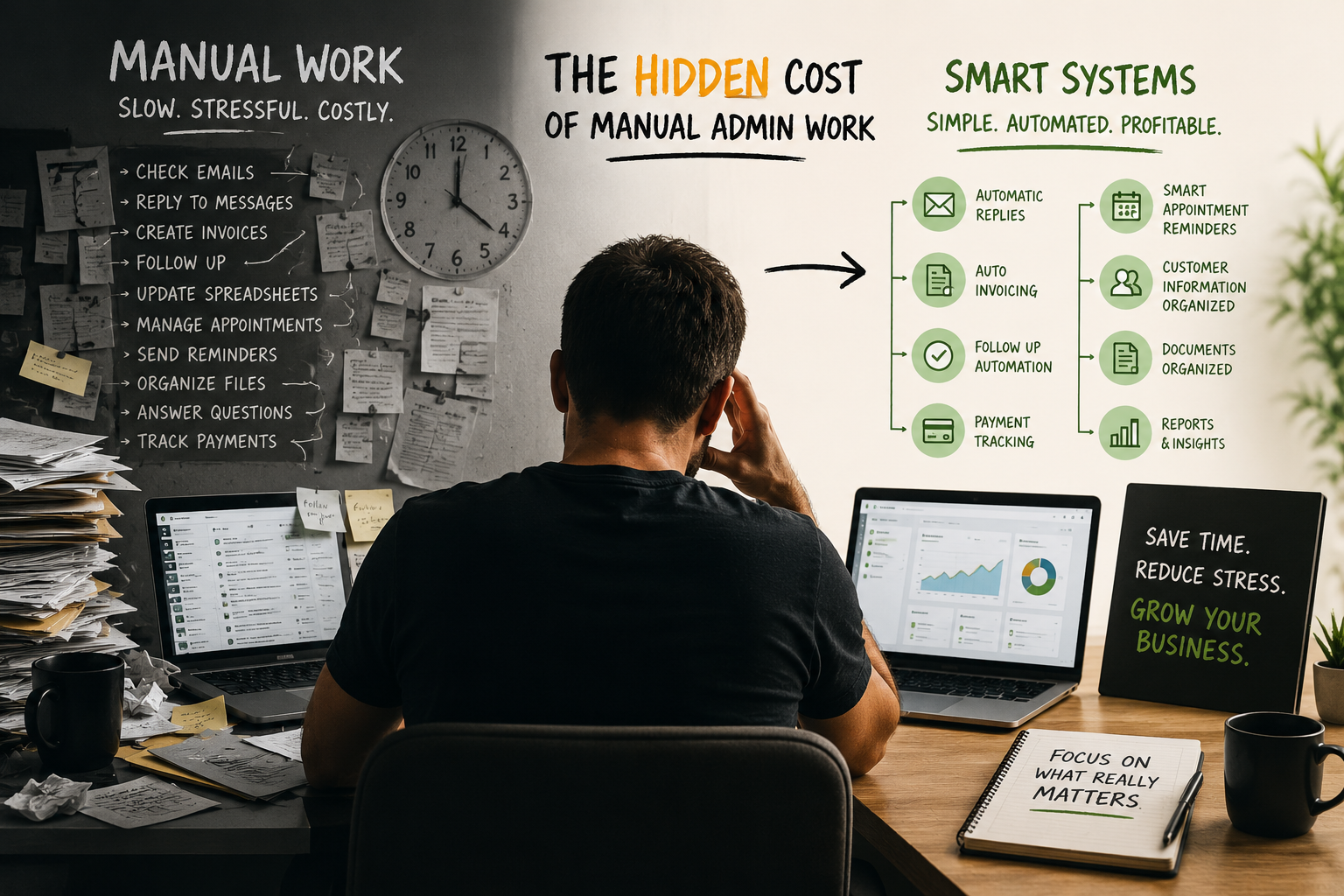
You’re not losing customers — you’re losing time
Tom runs a three-person carpet cleaning business. Every morning he spends 45 minutes checking three inboxes, answering the same questions about pricing and availability, and chasing last week’s invoices. By mid-week he’s burned two mornings and still has an unorganized stack of receipts and draft estimates.
This situation feels normal: “I’ll just reply quickly,” or “It’s faster if I do the invoice now.” But those small tasks add up — and that’s the hidden cost.
Why small admin tasks matter more than they look
The minute you spend on manual admin is a minute not spent on higher-value activities: meeting clients, training staff, improving service, or planning growth. Repeated tasks also introduce errors (wrong invoice amounts, missed follow-ups), create inconsistent customer experiences, and make your business harder to manage as it grows.
When owners get stuck in admin, the business loses in four ways:
- Time: Repetitive tasks compound into hours each week.
- Revenue: Time spent on admin is time not generating sales or improving retention.
- Trust & experience: Slow or inconsistent replies frustrate customers.
- Scaling friction: Manual systems break under growth, creating chaos.
Common daily time-drainers you’ll recognize
Local businesses share similar admin routines that quietly consume time:
- Checking multiple inboxes for bookings, payments, and questions
- Sending the same replies over and over
- Creating invoices and tracking payments manually
- Updating spreadsheets and moving data between tools
- Remembering customer details and service notes
- Sending appointment reminders and follow-ups
- Organizing documents and quotes
- Writing the same estimate or proposal repeatedly
Each task might only take a few minutes, but taken together they can cost a small business owner several full workdays every month.
Practical fixes you can start using this week
You don’t need a big IT project to reduce admin load. Start with small, practical fixes that deliver immediate time savings.
- Centralize messages into one inbox
Create a single shared inbox (or a simple CRM) for customer messages. This prevents missed messages and removes the friction of checking separate accounts. Many email platforms and lightweight CRMs can do this without heavy setup.
- Use templates for common replies and estimates
Save canned responses for FAQs (pricing, hours, location) and use template estimates or invoice drafts. A few well-written templates cut repetitive typing and keep replies consistent.
- Automate appointment reminders and follow-ups
Automated SMS or email reminders reduce no-shows and remove the need to manually call each customer. Use simple scheduling tools that connect to your calendar or booking page.
- Create invoice templates and online payment links
Generate invoices from templates and include a Pay Now link. This reduces back-and-forth and speeds up collections.
- Capture customer details in one place
Use a basic customer database to record service history, preferences, and payment status. When staff need a detail, it should be one search away — not buried in emails or spreadsheets.
- Move data automatically between tools
Instead of manually copying info from forms to invoices or spreadsheets, use integrations (built-in or via platforms like Zapier/Make). Even simple automations save time and reduce entry errors.
- Organize documents and receipts digitally
Scan receipts and save them in a structured folder system. Link documents to customer records or jobs so you don’t hunt for paperwork when you need it.
- Let AI handle repetitive writing tasks
Use AI-assisted replies or quote generators to draft messages that you quickly review and send. This speeds up writing while keeping your voice.
What “automation” really looks like for a small team
Automation doesn’t mean replacing staff or buying expensive software. For most local businesses, it’s about connecting the right simple tools and standardizing processes:
- A booking page that writes the job into your calendar and creates a customer record
- An invoice template that populates from the job and sends a payment link
- An automated reminder 48 hours before an appointment and a follow-up request for feedback
- A single place to search customer history and notes
These steps make daily operations predictable and reduce the small interruptions that steal focus.
The real ROI: less chaos, more growth
You may think the biggest bottleneck is getting more leads. Often it’s that your current leads and customers get lost in admin noise. A cleaner operation means faster replies, fewer mistakes, more repeat customers, and the owner’s time freed for growth activities.
Better systems also protect reputation — a timely reply or a clear invoice builds trust. And when the business is organized, you can scale staff and marketing without daily firefighting.
Where to start and who can help
Start with what wastes you the most time this week. Track how many minutes you spend on a repetitive task and set a simple goal to reduce that by half with one change: a template, a reminder automation, or a single shared inbox.
If you prefer help, Logicove builds straightforward software solutions and automations for local businesses — simple systems that organize customer data, automate reminders and invoices, and make daily operations easier without unnecessary complexity. We focus on fixes that save time and reduce mistakes, not flashy tools you don’t need.
Book a free consultation with Logicove
Book a free consultation with Logicove
Logicove helps local businesses build modern websites, smoother lead systems, and automations that make it easier for customers to take action.
Get started →