Why Your Website Gets Visitors But No Leads
Your website can attract visitors but still fail to convert them into inquiries. This post explains common causes and practical fixes local businesses can apply right away.
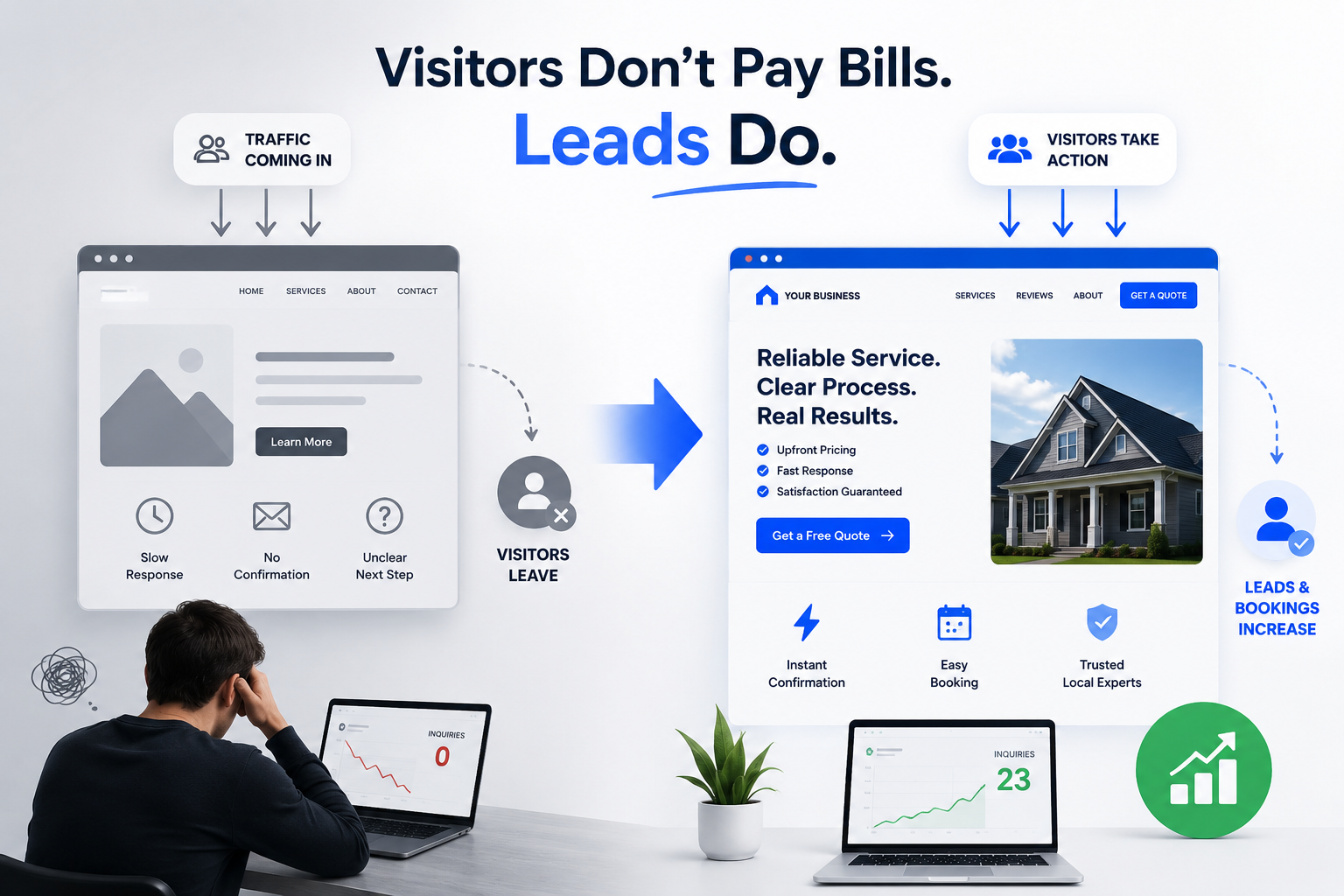
You have visitors — so why aren’t they calling?
Imagine a local roofer or an auto-detail shop checking their analytics: steady traffic coming from Google and Facebook, but the phone stays quiet. Visitors click the services page, scroll a bit, then leave. You paid for ads or SEO, but the site doesn’t generate real inquiries.
That exact scenario is common for local businesses. A website that looks fine visually can still fail at the one job that matters: getting prospects to take action.
Why this problem matters
If your site draws visitors but gets no leads you lose three things:
- Revenue: each missed inquiry is a missed job opportunity.
- Time: you waste time and money on marketing that doesn’t pay back.
- Trust: inconsistent or slow responses make potential customers choose competitors.
Local businesses don’t need a perfect website — they need a website that guides people to contact you quickly and confidently.
How poor website design breaks lead flow
Here are the most common reasons visitors leave without converting:
- Unclear call-to-action (CTA): Buttons like “Learn More” or no button at all don’t tell visitors what to do next.
- Weak service pages: long paragraphs, no pricing ranges, and no clear outcomes leave prospects unsure if you can help.
- Overlong forms: asking for too much information upfront scares people off.
- Slow response and no confirmation: prospects submit requests and get no instant confirmation or follow-up, so they assume you won’t respond.
- No lead system: inquiries go into an inbox and slip through the cracks without assignment, reminders, or tracking.
- Site speed and mobile issues: slow pages or hard-to-use mobile forms interrupt the conversion.
Each of these problems damages trust and increases friction. The result: traffic that doesn’t turn into booked jobs.
Practical fixes you can implement this week
You don’t need a full redesign to fix conversions. Start with focused changes that remove friction and increase clarity.
- Fix the CTA hierarchy
- Use one clear primary CTA on every page: “Request a Quote,” “Book an Estimate,” or “Get a Free Call.”
- Make the button visible on desktop and mobile (top-right and a sticky footer button on mobile).
- Use contrasting colors and short action text.
- Make service pages work harder
- Lead with a one-line outcome: “Roof repair in 24–48 hours” or “Same-day detailing available.”
- Show price ranges or starting prices when possible — people want ballpark costs.
- Add 2–3 short bullet points about what’s included and who it’s for.
- Shorten your forms
- Ask only for the essentials: name, phone, email, and project type or service needed.
- Offer optional fields for details, but keep them collapsed by default.
- Add a quick “best time to call” option to improve contact rates.
- Send instant confirmations and set expectations
- After form submission send an instant on-page confirmation AND an email or SMS: “Thanks — we’ll call within 2 business hours.”
- If you can’t respond immediately, offer next steps: self-scheduling link, average response time, or emergency contact.
- Automate lead routing and reminders
- Use a simple lead system that assigns new inquiries to a team member and sends reminders if there’s no response within X hours.
- Track source (Google, Facebook, organic) so you know which channels produce real leads.
- Add low-friction contact options
- Offer click-to-call, a short text option, and a scheduling link (calendar). Some customers prefer texting over forms or calls.
- Improve trust signals and mobile experience
- Add recent customer photos, short 3–5 sentence testimonials, and badges (licenses, insurances).
- Optimize page speed and mobile spacing — large buttons, readable fonts, and one-tap contact methods.
Small changes that create measurable returns
You don’t need a full website overhaul to see improvement. A clearer CTA, one-line outcomes on service pages, and a 3-field form can increase inquiries quickly. Add instant confirmations and a simple lead routing rule and your response times will drop — conversion follows fast responses.
Track results for two weeks after each change: monitor inbound calls, form submissions, and booking rates. Small, measurable wins let you prioritize the next fixes.
When it’s time to redesign — and how to avoid repeating the same mistakes
If your site still underperforms after these changes, a focused redesign may be necessary. A good redesign treats the website as a lead machine, not just a brochure:
- Clear conversion paths for each customer type
- Integrated lead capture and routing
- Mobile-first interaction design
- Analytics and tracking tied to business outcomes
If you hire an agency, ask for examples of local businesses they’ve helped convert visitors into scheduled jobs, and request a plan that includes lead flows and follow-up automation.
How Logicove helps local businesses solve this
At Logicove we design websites that do more than look professional — they guide visitors to become customers. We focus on clear CTAs, short forms, instant confirmations, and lead systems so your marketing investment turns into scheduled work. We also implement tracking and simple automations so no inquiry gets lost.
Book a free consultation with Logicove
Book a free consultation with Logicove
Logicove helps local businesses build modern websites, smoother lead systems, and automations that make it easier for customers to take action.
Get started →